
One of the many reasons Asahi has thrived in the linux community is its ability to easily be installed and removed via command line from Mac’s Terminal, thanks to Asahi’s developers who are very diligent in their work, considering that they are mostly volunteers with full time jobs, especially in their documentations. Although these documentations are full of helpful tips, linux beginners can be overwhelmed by its sheer volume, and are advised to practice with Virtual Machines (VMs) first before dealing with anything linux.
There are those that didn’t like their experience with Asahi installation or those who are experienced enough to install Asahi but still new to get lost in the sea of texts the manuals provide. This is where this guide comes in, aimed at helping beginners with a step by step process at how and what to remove or uninstall.
While there are multiple ways to remove Asahi, we will be tackling our removal using the developer’s recommended removal method via Command Line as it will help our target audience to understand more of how Asahi was installed. Let us first open Mac’s terminal, which is the only tool we will be using, and identity where we have saved Asahi’s partition.

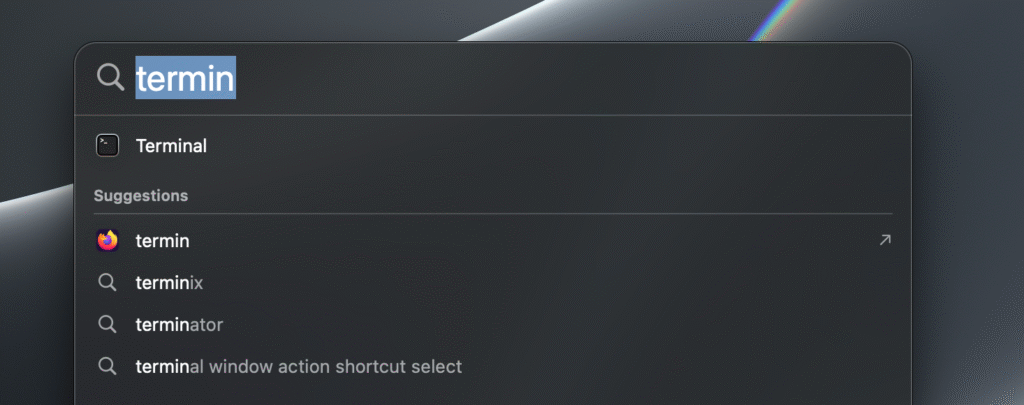
There are multiple ways of opening the terminal in mac, namely by;
- Pressing Command + Spacebar and typing Terminal
- By pressing F4 key to open spotlight search
- By opening the launchpad and selecting terminal
- Opening Finder and slecting Applications to open terminal
These methods are all the same and depends on the user’s preference, that being said, I prefer opening terminal through command + spacebar.
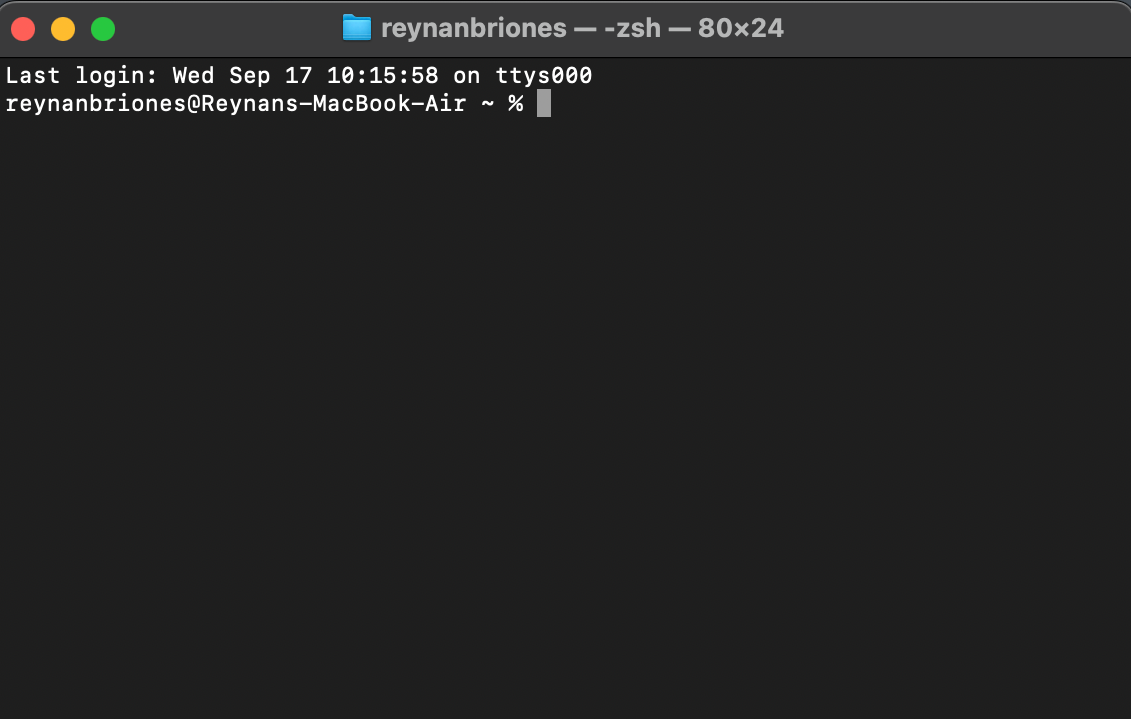
Opening terminal leads us to a Shell script known as Zoomer Shell (zsh), which is the default terminal for Macs. There are tons of commands to run at zsh but we will mainly be focusing on diskutil commands as we are primarily focused on disk space and partitions.
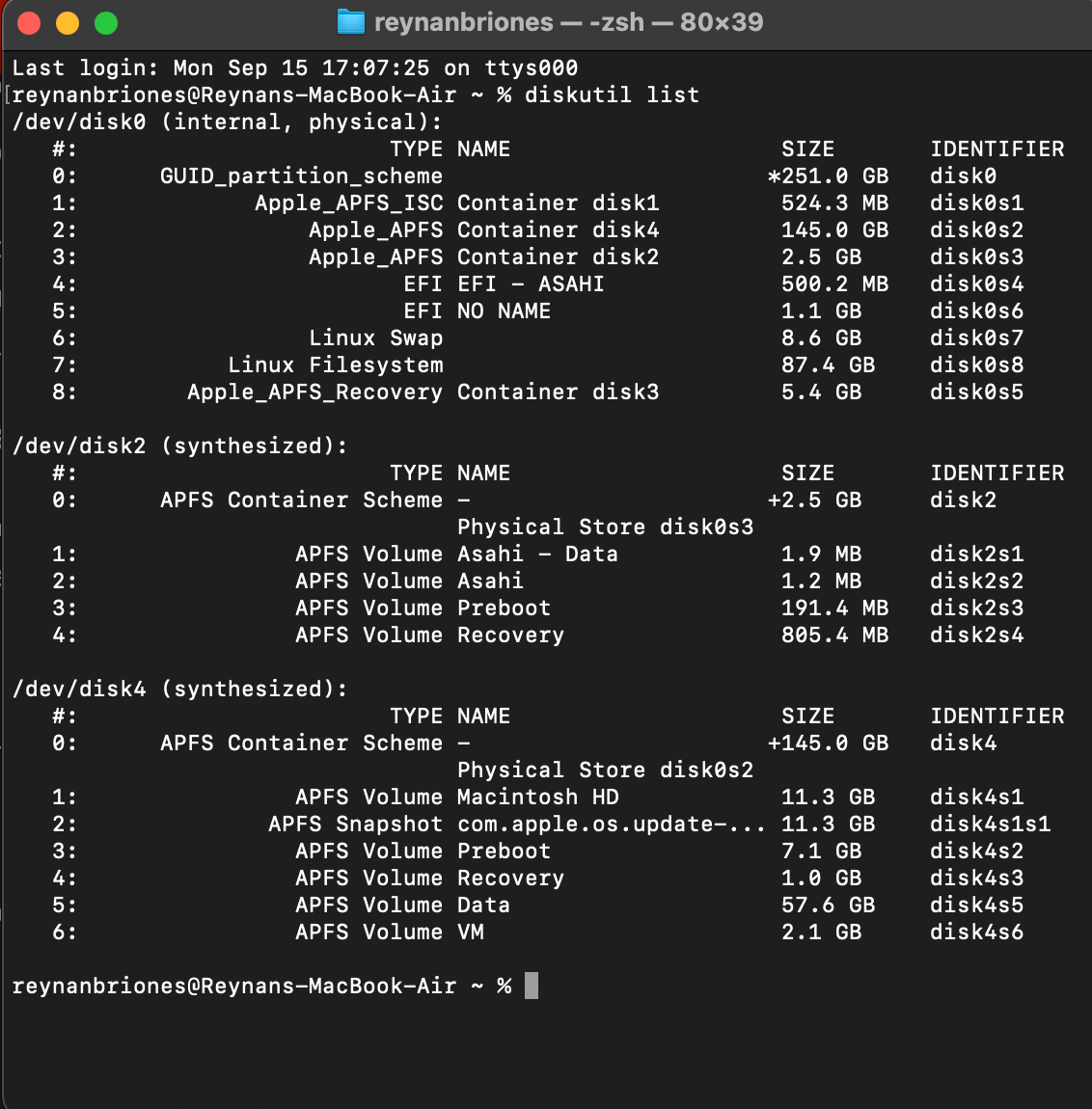
Entering the command diskutil list gives us a list of all disks and their respective sizes. Let us identify the Asahi disk. Notice that my list consists of a linux filesystem, this is mainly because I have installed a Linux distro, Void Linux, after installing Asahi. As I will be removing asahi, this will also be removing my linux filesystems. NOTE: While it is easy to identify the disks by their number, keep in mid that their identifiers are different, always check their identifiers in the far right column before removing anything as deleting essential disk data will break your system.
diskutil apfs deleteContainer disk2By typing these code in the terminal we opened earlier, we will be removing the synthesized disk2, which is the main partition of the installed Asahi system. This command utilizes diskutil’s builtin function while also keeping other files sales as entering apfs secures to only delete files on apfs systems.
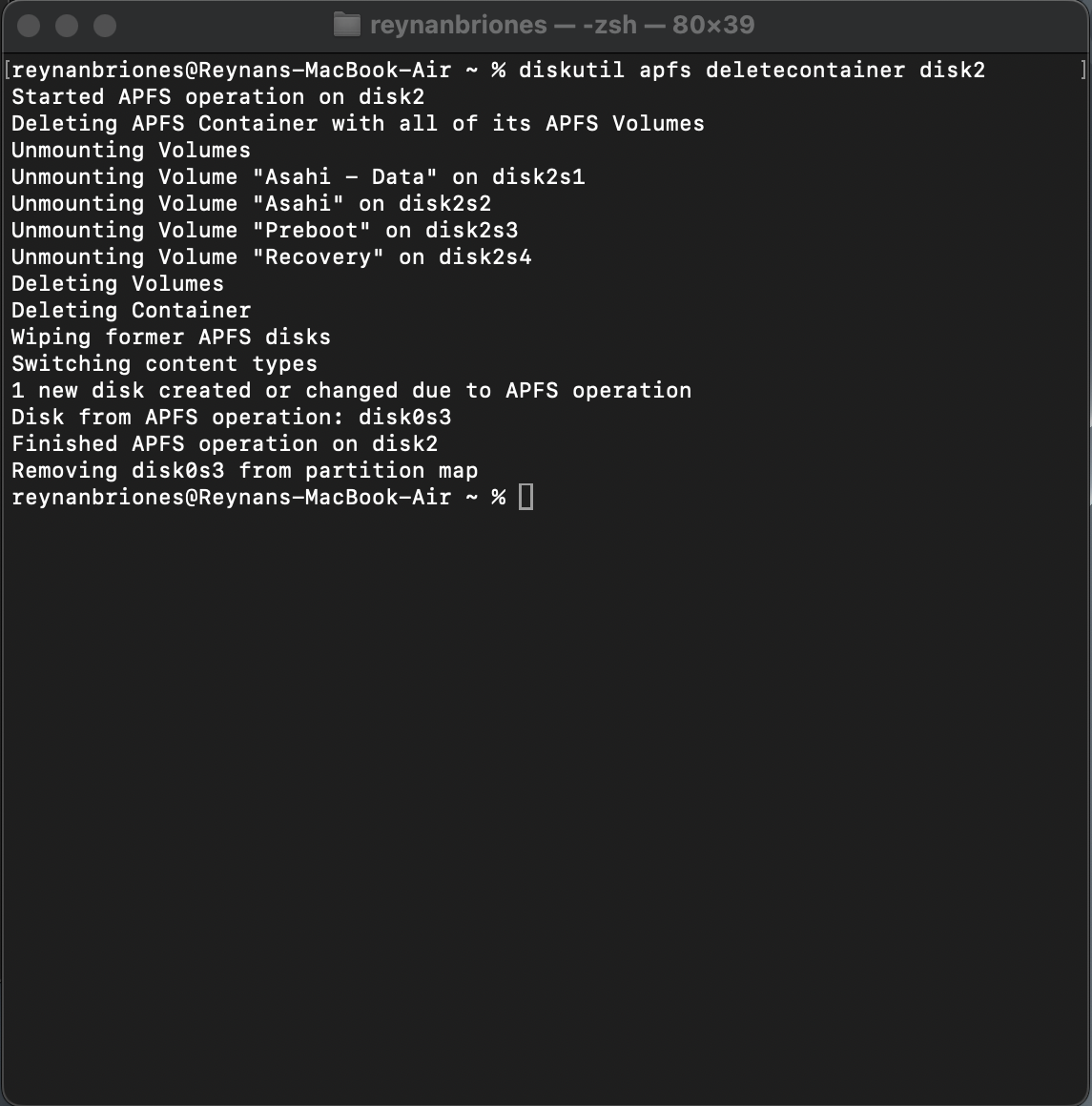
The picture presents what it would look like after entering the command. This will take a few seconds to finish. To check if the correct file is removed, enter diskutil list command again and see what disk was removed.
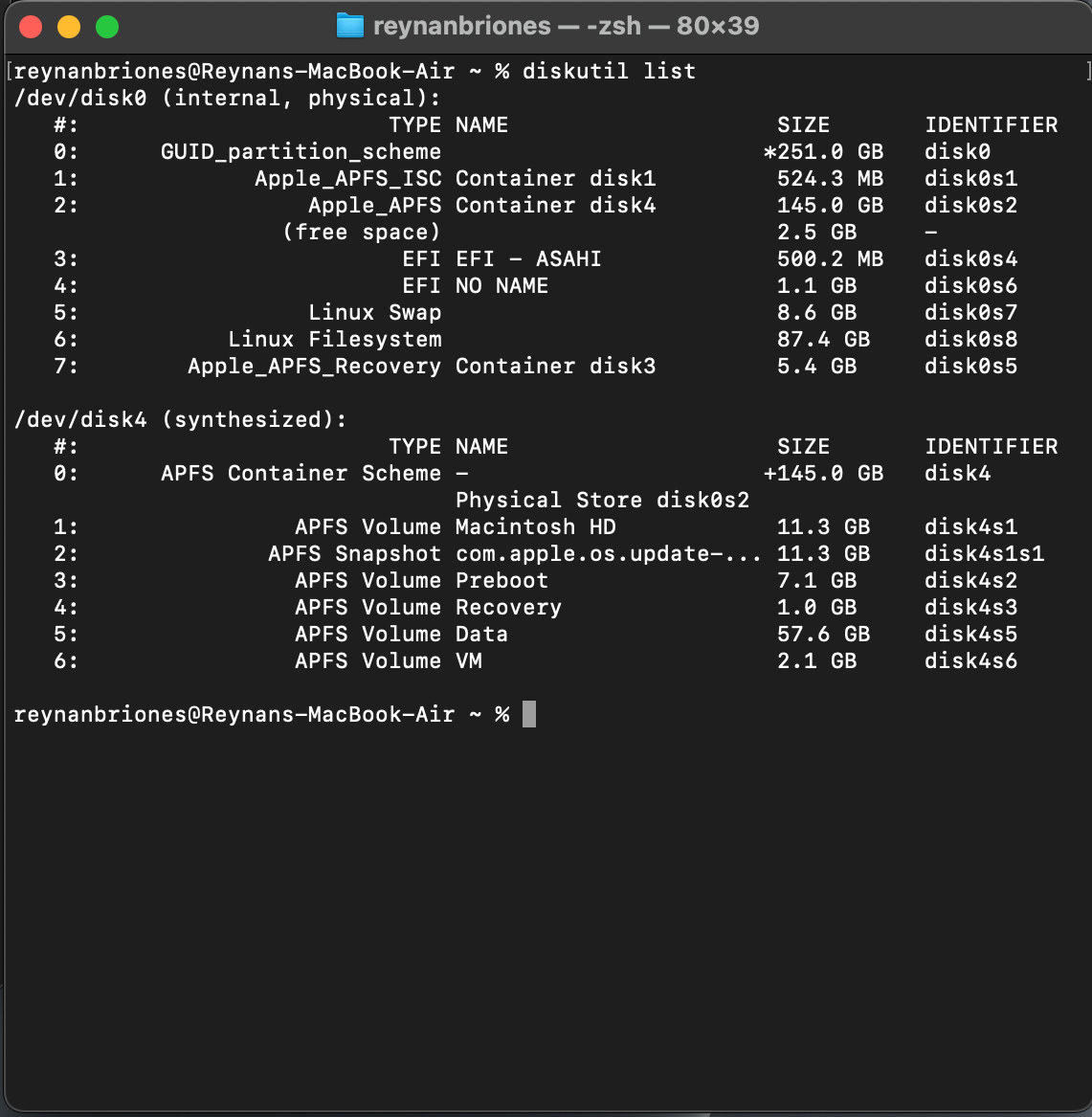
In my case, disk2 has been successfully removed.
Next, we will be.removing the physical partitions, linux swap, linux filesystem, EFI No Name and EFI – ASAHI. There are different ways to remove these partitions, we will be taking the diskutil EraseVolume command. First identify the disk identifier of the partitions to be removed. In this case, disk0s4, disk0s6, disk0s7 and disk0s8.
Let’s enter the code below to delete disk0s4.
diskutil eraseVolume free free "disk_identifier"To prevent accidental mistakes, I’ve placed a placeholder at the disk identifier, always double check to prevent problems.
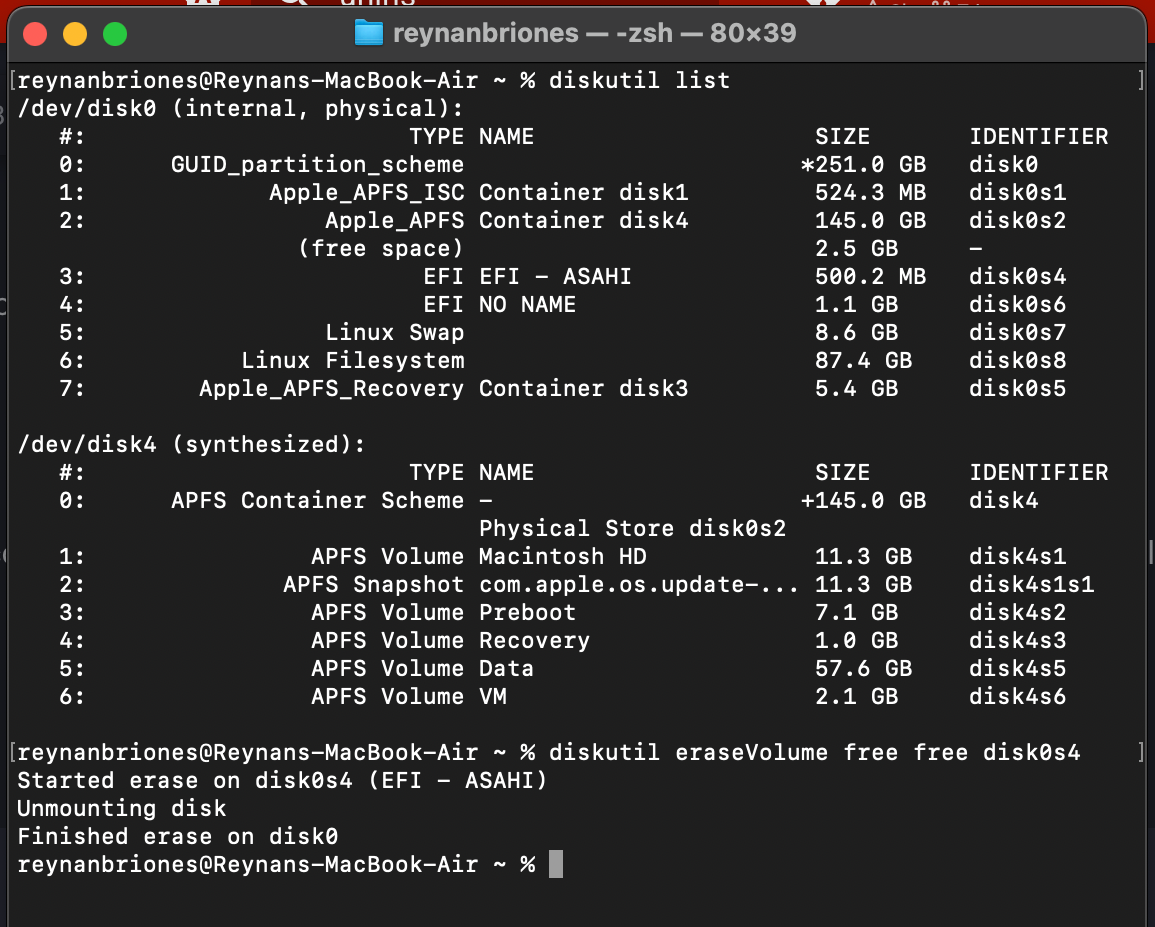
Successfully entering the command should present you with this output.
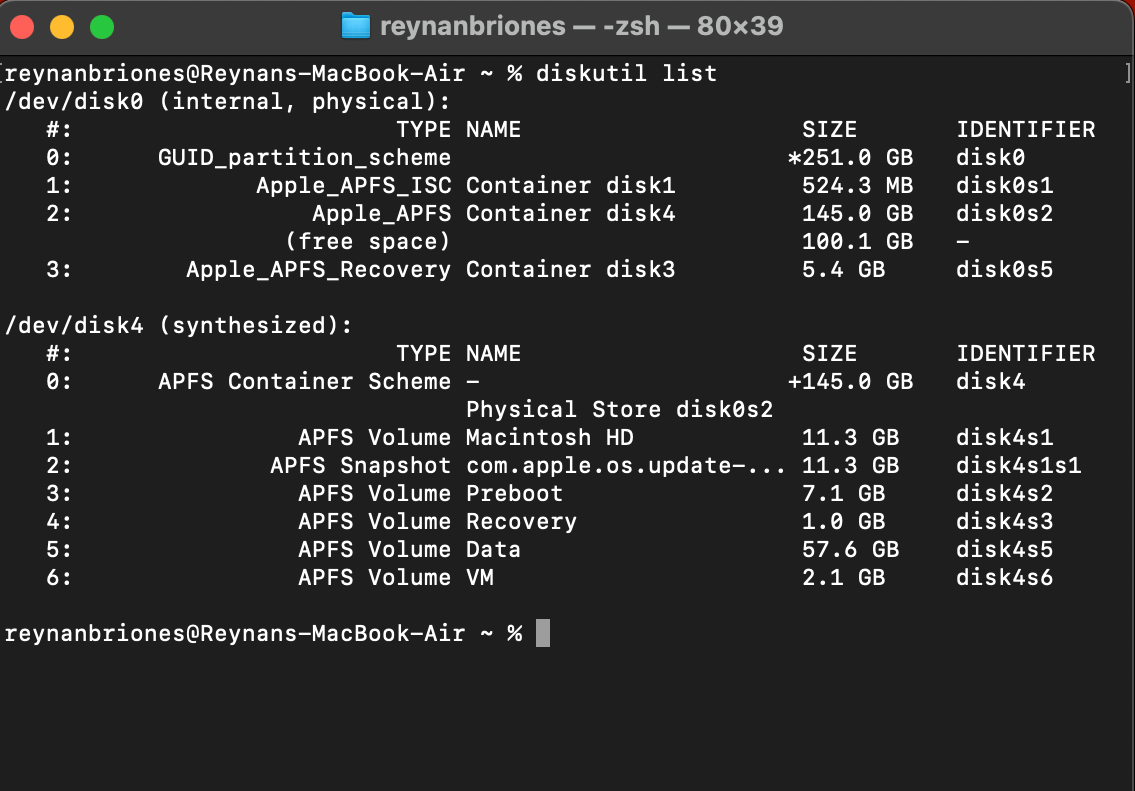
Checking the diskutil list again to double check will result in this commandline output.
Lastly, free space has been left and to remove it we will need to